

1Password raised its prices in March 2026, by as much as 33% on the individual and family plans, so a lot of the pricing you’ll find in older reviews and coupon pages is now out of date.
Here’s what it actually costs right now, pulled directly from 1Password’s live pricing page, in plain language.
Current 1Password Pricing at a Glance (EUR, Live Pricing)
Get a quick overview of all 1Password plan costs in Euros, including Individual, Families, Teams, and Business tiers with current discounted rates.
| Plan | Discounted Price | Standard Price | Billing |
| Individual | €2.74/mo | €3.65/mo | Annual |
| Families | €4.31/mo | €5.75/mo | Annual |
| Teams Starter Pack | €21.95 flat | – | Annual, up to 10 members |
| Business | €7.99/user/mo | – | Annual, per user |
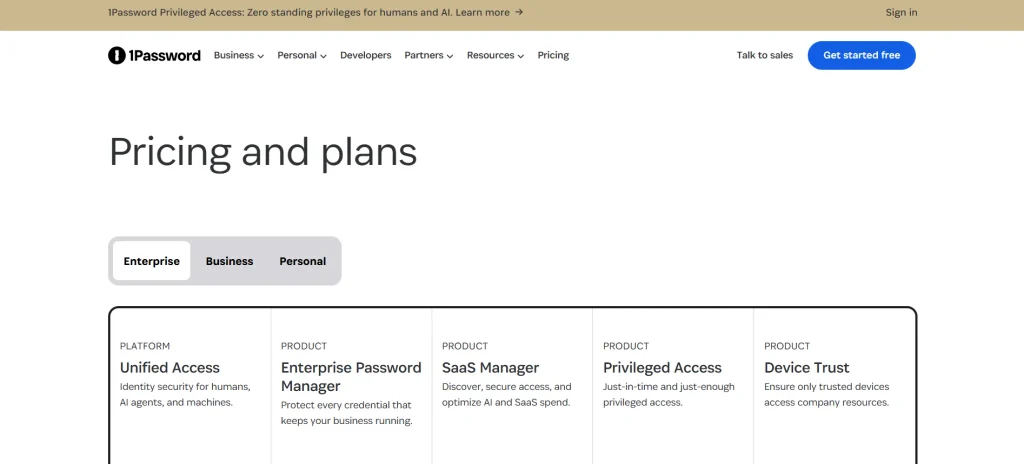
| Enterprise | Custom quote | – | Contact sales |
In USD, the equivalent current rates run roughly $3.99/month for Individual and $5.99/month for Families on annual billing, with $7.99/user/month for Business. Every plan includes a 14-day free trial, no credit card required to start.
What Changed in March 2026
1Password sent an email to existing users announcing the increase would take effect March 27, 2026. The Individual plan went from $3.99 to $4.99/month (monthly billing) and from $35.88 to $47.88/year (annual billing). The Families plan went from $6.95 to $7.99/month and from $59.88 to $71.88/year.
In both cases that’s a $12/year jump, applied at your next renewal after that date. 1Password’s stated reason was that pricing had stayed largely flat for years while the product added features like phishing protection, saved payment details, and faster device setup.
What this means for you practically: if you’re seeing a heavily discounted first-year rate at signup (like the €2.74 or $2.99 figures still floating around some coupon pages), treat that as a promotional new-customer rate, not what you’ll pay at renewal. Budget for the standard rate kicking in after your first term.
Individual Plan: Best for One Person
The Individual plan covers exactly one person, on unlimited devices, with unlimited password and document storage. It includes:
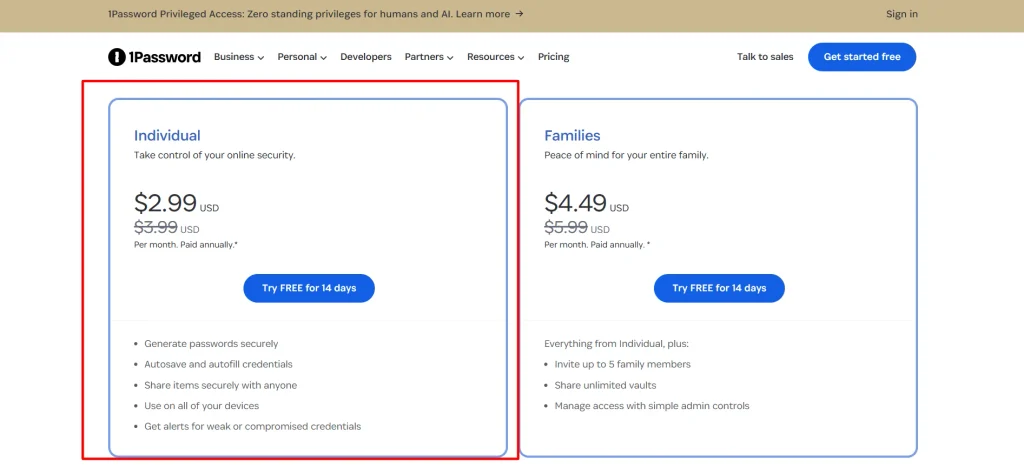
- Password generation and secure autofill
- Watchtower alerts for weak, reused, or compromised passwords
- Travel Mode, which temporarily removes sensitive vaults from your devices when crossing borders
- Two-factor authentication support
- 365-day item history to recover accidentally deleted passwords
- Secure item sharing with anyone, even non-1Password users
- 24/7 email support
Who it’s for: If you’re the only person who needs this, a solo professional, a student, someone just getting serious about password hygiene, this is the plan. Don’t buy Families “just in case” if there’s genuinely only one person using it; you’re paying roughly 50% more for a sharing feature you won’t use.
Families Plan: Best Value for More Than One Person
Families cover up to 5 people under a single subscription, with room to add more members at an extra per-seat rate if needed. Each person gets:
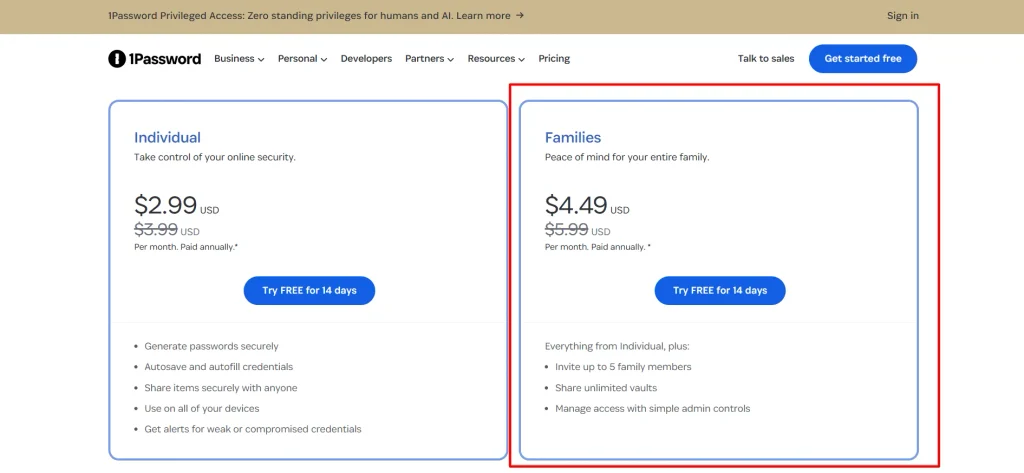
- Their own account password and Secret Key (1Password’s additional encryption layer beyond your master password)
- A Private vault for personal items only they can see
- Access to a Shared vault for household items like Wi-Fi passwords or streaming logins
- The ability to create additional shared vaults for specific groups (e.g., just you and your partner, or just the kids)
Family organizers can also recover a locked-out family member’s account and manage what each person can see and do. You can also invite up to 5 guests for limited, temporary sharing without giving them a full paid seat.
Who it’s for: Any household of 2 or more, this isn’t limited to people who live together. 1Password explicitly supports friend groups, roommates, or separated family members using shared vaults. If more than one person in your life needs password management, Families are almost always a better deal per person than buying multiple Individual plans. Two Individual plans would cost you more than one Families plan that covers up to five people.
Teams Starter Pack: Best for Small Teams Just Getting Organized
This is a flat rate (around €21.95-$24.95/month depending on region) covering up to 10 team members, rather than a per-seat charge. It includes:
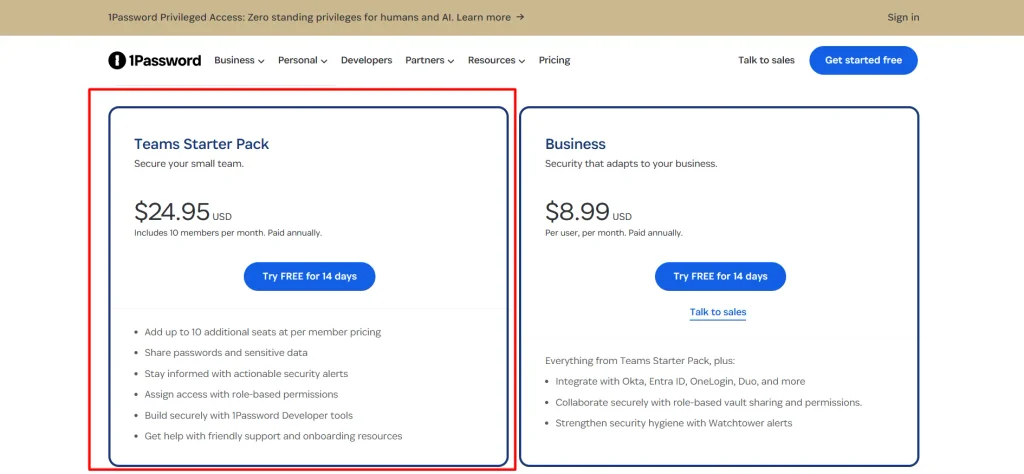
- Everything from the Individual/Families feature set
- Shared password and sensitive data access across the team
- Role-based access permissions
- Actionable security alerts for the whole team
- Basic developer tooling access
Who it’s for: Small businesses or startups with up to 10 people who need shared credential management but don’t yet need enterprise-grade identity integrations. Since it’s a flat rate rather than per-seat, it’s genuinely cost-effective right up until you need an 11th seat, at which point you’ll need to move to Business.
Business Plan: Best for Growing Companies Needing Real Admin Control
Priced per user per month (around €7.99-$7.99 USD depending on region, billed annually), Business includes everything in Teams Starter Pack plus:
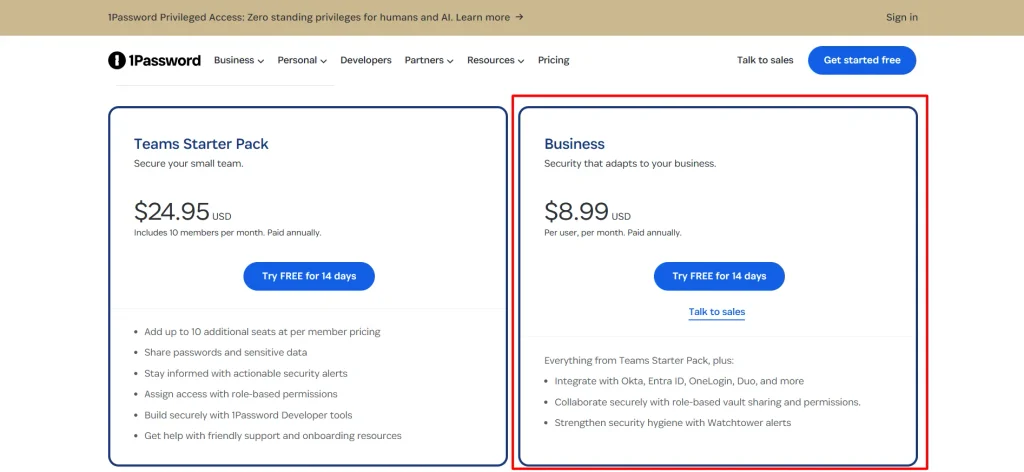
- Single sign-on integration with Okta, Entra ID, OneLogin, Duo, and others
- Role-based vault sharing and permissions at a more granular level
- Stronger Watchtower security hygiene alerts across the whole organization
- SIEM integration for security teams that need centralized logging
- Device trust enforcement, blocking access from unmanaged or non-compliant devices
Who it’s for: Organizations with more than 10 people, or any team that specifically needs SSO integration with an existing identity provider. If your company already uses Okta or Entra ID for login management, Business is the tier that actually plugs into that, Teams Starter Pack doesn’t.
Enterprise: Custom Pricing for Large Organizations
For organizations beyond 100 users, or with mid-market needs in the 21-99 user range, pricing isn’t published and requires talking directly to sales. This tier is built around volume pricing and custom security requirements that a self-serve checkout can’t handle.
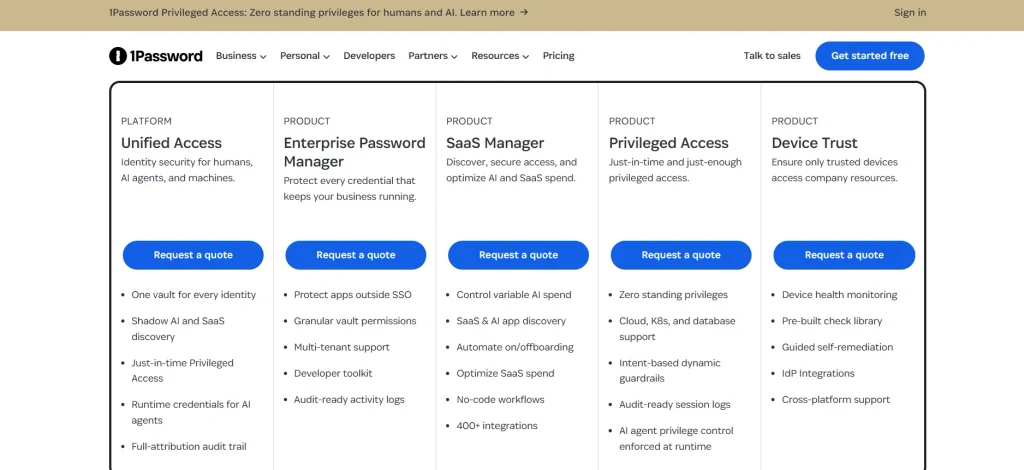
Who it’s for: Large companies with dedicated IT security teams, custom compliance needs, or user counts that make per-seat self-serve pricing impractical to manage manually.
1Password Privileged Access: A Newer, Separate Offering
Worth knowing about if you’re evaluating 1Password for a business: they’ve recently introduced 1Password Privileged Access, focused on “zero standing privileges” for both human and AI-driven account access. This is a more advanced security layer aimed at companies worried about over-permissioned accounts and AI agents accessing systems with more access than they need. It’s a separate conversation from the core password manager plans above, worth raising with sales if your organization has AI tooling with system-level access.
Which Plan Should You Actually Choose?
- Just you, no one else needs access: Individual
- You live with or regularly share accounts with anyone else (partner, roommate, kids, even a separated family member): Families, it’s cheaper per person than multiple Individual plans
- Small business, up to 10 people, no need for SSO yet: Teams Starter Pack
- More than 10 people, or you already use Okta/Entra ID/OneLogin for company logins: Business
- Large enterprise with complex compliance or AI-agent access concerns: Enterprise, talk to sales directly
FAQs: 1Password Pricing 2026
Is there a free version of 1Password?
No. There’s no permanent free tier, but every plan comes with a 14-day free trial that doesn’t require a credit card.
Why do I see different prices on different sites?
Prices vary by currency/region (EUR vs USD), and many older articles still show pre-March 2026 rates before the price increase took effect. Always check the live pricing page directly before assuming an older quoted price is current.
Will my price go up after the first year?
Likely yes if you signed up under a promotional new-customer rate. Several independent pricing trackers note that discounted first-year annual rates renew at the standard (higher) rate afterward, so budget for that at renewal.
What’s the real difference between Teams Starter Pack and Business?
Teams Starter Pack is a flat rate for up to 10 people with no SSO integration. Business is priced per user and adds SSO (Okta, Entra ID, OneLogin, Duo), SIEM integration, and device trust enforcement, features aimed at IT-managed organizations rather than small teams.
Is Families really better value than buying two Individual plans?
Yes, in almost every case. Families costs roughly 40-50% more than a single Individual plan but covers up to 5 people, meaning even two people sharing a Families plan comes out cheaper per person than two separate Individual subscriptions.
Final Verdict: 1Password Pricing 2026
1Password’s pricing is straightforward once you know which of the five tiers matches your situation: Individual for one person, Families for any household or shared group of up to five, Teams Starter Pack for a small business under 10 people, Business once you need real SSO integration or have more than 10 users, and Enterprise for large-scale custom deployments.
The one thing worth planning around deliberately is the March 2026 price increase and the pattern of promotional first-year rates reverting to standard pricing at renewal, so check the actual renewal price before assuming the signup price is permanent.